Urfael Assistant · Free and open source (MIT)
Your own assistant, on your own machine.
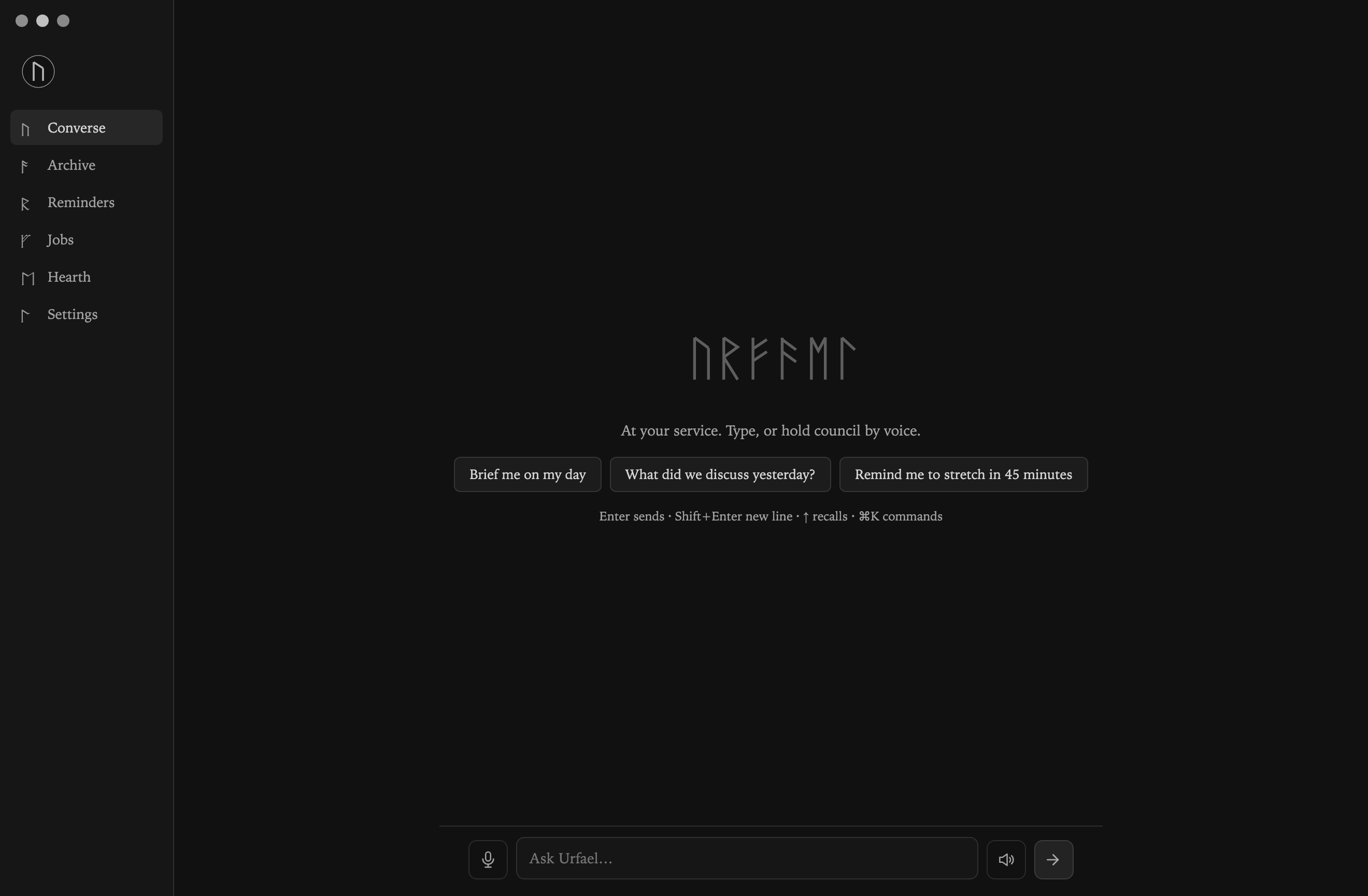
Urfael Assistant is a personal AI you run on your own computer, with local voice, a desktop console and a searchable archive.
It drives the Claude Code CLI you already have installed and can use your existing login. Optional API providers and cloud voice have separate costs.
macOS first. Linux is newer. Native Windows is in beta.
What it does

Local voice.
Hold to talk, or set up an optional wake word. whisper.cpp turns your voice into text, and macOS
sayor Linuxespeak-ngspeaks the reply. Other voice backends are opt-in.
One assistant, several doors.
The Console, a small orb HUD, the terminal and a full-screen TUI all talk to the same daemon. An optional web dashboard and an OpenAI-compatible API are there if you want them.

A memory you can search.
An Obsidian vault holds the archive, and a local git repository holds what it learns. BM25 search, with optional local embeddings, helps it recall earlier conversations.

Coding with an undo.
urfael code "<task>"adds per-project context and checkpoints your working tree.urfael rewindputs a checkpoint back.
Reminders, jobs and chat.
Set reminders and scheduled jobs, and connect optional chat bridges. Messages that arrive from elsewhere are allowlisted and use a restricted profile by default.

Room to grow, carefully.
MCP connectors and plugins extend what it can do on your own local turns. Review their permissions and code before you turn them on.
Local by design, honest about the edges
The assistant’s main door is a local one. On macOS and Linux, the daemon listens on a 0600 Unix socket, not a network port. Windows uses a named pipe with token authentication. That describes the daemon, not every optional service, so here is the whole picture:

| Part | How it’s reached |
|---|---|
| Daemon | Local only. Access relies on your operating system and, on Windows, the IPC token. |
| Dashboard and OpenAI-compatible API | Off unless you turn them on. Then they listen on 127.0.0.1 and need a token. |
| Webhook receiver | Off unless you turn it on. Loopback only, with a secret per hook. |
| WhatsApp and phone (PSTN) bridges | Off unless you turn them on. Loopback only, with provider signature checks and sender allowlists. Reaching them from outside needs a tunnel or proxy you set up. |
| Other bridges, model providers and connectors | May connect outward. Check each one’s setup. |
Loopback keeps your local network out under normal settings. Programs on your own machine can still reach these listeners, and a tunnel or reverse proxy can make them reachable from outside. Authentication and configuration still matter.
Fortress is the default. Messages from chat apps get read-only tools, with no web and no shell. Full mode adds web tools for owner and member turns. These are permission profiles inside the harness, not operating-system isolation. Unknown profiles fail closed.
Coding can run where you choose: on your machine, in Docker or over SSH. Docker isolation has to be selected on purpose. URFAEL_YOLO=1 turns on unrestricted shell access and widens the risk a lot, so keep it for throwaway environments. Skills are scanned and previewed, but a scan can’t prove that arbitrary code is safe.
Where your words go. The model you connect does the thinking, so your messages go to that provider, just as they would if you used it directly. By default, that’s your Claude Code CLI. Bridges and connectors you turn on may connect outward too.
Tests you can run yourself
The repository includes its own regression tests. They are not an independent security audit, and they don’t guarantee protection against a whole class of attack. Here is what each one covers.

Command (from app/) | What it covers | Runs in CI |
|---|---|---|
npm test | Unit tests, no model credentials needed | Yes |
npm run fuzz | Input-boundary fuzzing | Yes, with a bounded budget |
npm run redteam | SSRF regressions against local test servers | Yes |
npm run security | Live daemon and dashboard probes, module checks, source assertions | Manual |
npm run e2e | Selected integration scenarios against a live daemon | Manual |
The security benchmark source defines 11 groups and 128 check(...) call sites. Those are counts in the source, not a verified passing result. The live harnesses use local state and may use authenticated model turns, so read the methodology before you run them.
A configured CI workflow isn’t proof that a particular version passed. Keep the full output when you run a check.
- Many chat channels are code-complete but still need checking against live accounts: Matrix, Signal, WhatsApp, QQ, SimpleX, PSTN phone, Mattermost, Google Chat, SMS, DingTalk, Home Assistant, BlueBubbles, Feishu and WeCom.
- The live harnesses cover selected scenarios, not every feature or integration. Parsing and allowlist tests don’t certify operation against real provider accounts.
- Linux and native Windows need more hardware and day-to-day testing. CI doesn’t replace desktop or voice testing on those systems.
- This is a personal project with limited deployment experience. No independent security audit is documented.
- Experimental features, including the council, native engines and the optional learning and verification loops, need supervision. A second model’s review is not an independent security audit.
What it costs
The assistant itself is free under the MIT license. The default backend uses your Claude Code account, within its plan limits and terms. API providers and optional paid voice services bill you separately. The spend shown in the app is an estimate, not your provider’s bill.
Install
macOS is the main development platform. Linux is newer, and native Windows support is in beta. You’ll need Node.js 20 or later and a model backend. The default is an installed, signed-in Claude Code CLI. Voice and vault integration need a few extra pieces, which are listed in the setup guide.
Clone into urfael-src, because ~/urfael can clash with the ~/Urfael vault on a case-insensitive disk. Read install.sh before you run it.
git clone https://github.com/maximilliangrand/urfael.git urfael-src
cd urfael-src
./install.sh
urfael setup
The installer sets up the vault, the memory repository, your configuration, the CLI link and the service files.
Then start the daemon with your platform’s service manager:
# macOS
launchctl load -w ~/Library/LaunchAgents/com.urfael.daemon.plist
# Linux
# systemctl --user enable --now urfael-daemon
Open the Console with cd app && npm start, or use urfael "<question>" and urfael tui in a terminal.
Windows steps and platform prerequisites are in the installation guide.

The assistant is the first thing we’ve built. Uru, a soft helper robot for the home, is at the research stage.
Meet UruAn independent open-source project, not affiliated with or endorsed by Anthropic. Claude and Claude Code are trademarks of Anthropic. Provided as is, without warranty, under the MIT license.